
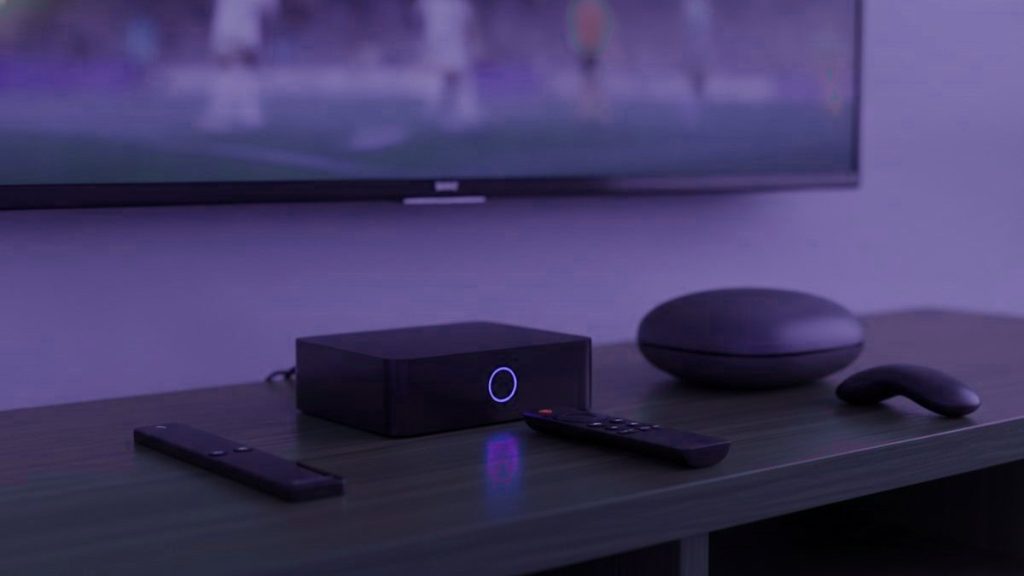
For most households the honest answer is that you do not need to buy anything. The television already runs apps, or there is a streaming stick in a drawer from something else. Before spending money, establish whether you need to – and then, if you do, the range of sensible options is narrower than the internet suggests.
The short version
Use the smart television if it dates from 2016 or later. Buy a Fire TV Stick 4K if it does not, or for a second room. Buy an Android box if you want TiViMate and a proper grid guide. Buy a Formuler or MAG receiver only for a main television watched every evening.
First, check whether you need anything at all
Any Samsung or LG set from roughly 2016 onward runs a player natively from its own store. Sony, Philips, TCL and Hisense televisions generally run Android TV or Google TV, which means the full range of apps including TiViMate. If either describes your television, the hardware question is already answered and the answer is nothing.
The caveat worth knowing is that built-in apps on Samsung and LG are more limited than what Android hardware offers, particularly around the programme guide. That is a reason to consider a box later, once you know whether it bothers you, rather than a reason to buy one up front.
The Fire TV Stick: the default for good reasons
More households run this than anything else, and the reasons are unglamorous. It costs less than a single month of most cable packages. It is small enough to move between rooms. And Amazon still permits sideloading, which matters because the better players are not in Amazon’s own store and never will be.
Buy a 4K or 4K Max model rather than the basic stick or the Lite. Those cheaper versions cap at 1080p, which means the Ultra HD feeds in your subscription never reach the panel – you are paying for something you cannot see. The Max is also noticeably quicker to navigate, which matters more than it sounds on a list this size.
Android boxes: the route to TiViMate
A generic Android box in the $50 to $100 range gives you the Play Store and therefore TiViMate, which is the player that rebuilds the grid guide people miss after leaving cable. For a household where one person is unconvinced about the switch, that guide is frequently what settles the argument.
Quality varies enormously at this end of the market, and the cheapest boxes are cheap for reasons that show up as stuttering on 4K feeds. If budget allows, an Nvidia Shield is the strongest device in this category: it handles Ultra HD without hesitation, the remote is better, and it stays quick for years rather than months. It costs more than everything else here, and on a main television watched every evening it earns the difference.
Formuler and MAG: built for this and nothing else
These are the only devices in this comparison designed around live television rather than adapted to it, and it shows over a long evening. A Formuler Z11 Pro Max runs Android underneath, which means you get both the portal method and ordinary apps like TiViMate – that flexibility matters, because a portal-only MAG box has to be reconfigured at the provider’s end if you ever change service.
At $120 to $180 they are the expensive option, and they only make sense on a main set that runs every day. On a bedroom television watched twice a week, a $40 stick does the same job and the difference is not worth paying for.
Side by side
| Device | Cost | 4K | Runs TiViMate | Suits |
|---|---|---|---|---|
| Smart TV you own | $0 | If the set does | Only on Android sets | Anyone with a 2016-or-later television |
| Fire TV Stick 4K | $30 to $50 | Yes | Yes, by sideloading | Older televisions, second rooms |
| Android box | $50 to $100 | Yes | Yes, from the Play Store | Households wanting the grid guide |
| Nvidia Shield | $150 to $200 | Yes | Yes | A main set, and people who keep hardware for years |
| Formuler Z11 Pro Max | $120 to $180 | Yes | Yes | A main television watched every evening |
| Roku | Varies | Yes | No, and cannot | Only if you already own one |
The one about Roku
Roku deserves a specific warning because so many households own one. It does not permit sideloading in any practical sense – the private channel system that older guides describe was closed some time ago – so you are limited to whatever Roku has approved. IPTV Smarters Player is usually available and is adequate, but TiViMate is impossible and always will be.
If a Roku is what you have, try it first by all means. If the guide frustrates you after a fortnight, a $40 stick in the adjacent HDMI port solves it, and that is a considerably better outcome than replacing the television.
How many devices does the house actually need
The question people ask is which box to buy. The question that matters more is how many, and the two are easy to conflate. Buying hardware for every television at once is the most common way to overspend on this.
Start with the main set, because that is where the difference between good and adequate hardware is visible. Secondary rooms are a different calculation entirely: a bedroom television watched for an hour at a time does not reward a $180 receiver, and a $35 stick will be indistinguishable in practice. Several households end up with one good device in the living room and cheap sticks everywhere else, which is a sensible outcome.
Remember too that the number of screens you can watch simultaneously is set by your plan rather than by how many boxes you own. Installing the player on six devices is free; playing on three at once requires a plan that allows three. Work out how many people genuinely watch different things at the same moment, which in most houses is a smaller number than the count of televisions.
What to do with the box you are returning
One practical note that gets forgotten in the middle of a switch. Cable and satellite providers charge for unreturned equipment, and those charges are not small. Get a receipt when you hand hardware back, keep it, and check the final bill against it. A surprising number of the complaints people have about leaving a provider come down to an equipment charge applied after the account closed, and a receipt settles that conversation in one message.
What actually determines picture quality
Not the box, in most cases. Assuming the device is 4K-capable at all, the things that decide whether an evening looks good are the connection and the wiring. Run an Ethernet cable to whatever sits on the main television if you possibly can – it removes the single most common cause of evening stuttering at a stroke, and it costs the price of a cable rather than the price of new hardware.
Spending $180 on a receiver and leaving it on weak Wi-Fi at the far end of the house is the most common expensive mistake in this whole area. Fix the network first, then decide whether you still need better hardware.
Frequently asked questions
Which IPTV box should I buy?
Start by checking whether you need one: any television from roughly 2016 onwards runs a player natively. If you do need hardware, a Fire TV Stick 4K at $30 to $50 covers most situations, an Android box gives you TiViMate and the grid guide, and a Formuler or MAG receiver is worth it only on a main television watched every evening.
Is the Nvidia Shield worth the money?
On a main television that runs daily, yes. It drives Ultra HD without hesitation, navigates quickly, and stays usable for years rather than months. For a spare room watched twice a week it is difficult to justify when a stick at a fraction of the price does the same job.
Can I use my Roku?
You can, with IPTV Smarters Player from the Roku store where it is available. Be aware that Roku does not allow sideloading, so TiViMate is impossible on it and always will be. If the limited guide bothers you, adding a cheap stick to the same television is the usual answer.
Will a cheap Fire TV Stick work?
It will run the service, but the basic stick and the Lite both cap at 1080p, which means the 4K feeds included in your plan never reach the screen. On a main television, spend the extra on a 4K or 4K Max model. On a small set in a bedroom, the difference is invisible anyway.
Should I buy hardware for every television at once?
No, and it is the most common way to overspend. Start with the main set, where the difference between good and adequate hardware is actually visible, and use cheap sticks in secondary rooms where an hour of viewing a night does not reward a dedicated receiver. You can always upgrade a second room later once you know how the household uses it.
Does a better box give a better picture?
Up to a point, and then the network takes over. Provided the device is 4K-capable, what decides picture quality on a given evening is the connection rather than the hardware. Running an ethernet cable to the main television improves matters more reliably than spending $180 on a receiver and leaving it on weak Wi-Fi.
Still renting a box you do not need?
One WhatsApp message and your details come back in under 15 minutes. Nobody visits the house, nothing gets returned, and you have 7 days to walk it back.
Related articles
The Checklist to Run Before the Cable Box Goes Back
Leaving cable goes wrong on the phone call, not in choosing a service. A step-by-step checklist: contract dates, the internet-only price, which…
September 19, 2026Recording, Catch-Up and On Demand After the Cable DVR
The cable DVR goes back with the box. What replaces it: an on-demand library for series and films, catch-up where channels carry…
September 19, 2026Keeping Local News and Weather Once the Cable Is Gone
Local news and weather do not need a cable box. What a free over-the-air antenna can and cannot pull in, how to…